There were series of mails from our IT department warning us about servers being decommissioned. But first I postponed the needed, then forgot, and then ignored the FINAL WARNING.
What happens...
My lack of action bit me back and my solaris box was unusable
Having grown up with windows machines, unix is something I am still getting used to.
So I was so scaared of what happens
But it turns out that, the IT team had done a pretty good document which guided us step by step.
And in course I also learnt a couple of new things
- ypwhich - gives the NIS server the machine is currently using
-- you can also try "ypwhich another-machine-on-nw"
- /etc/resolv.conf - Defines which naming server to use
Eg - nameserver 129.147.9.5, where 129.147.9.5 is the ip address of the naming server used
Thursday, October 15, 2009

Thursday, September 24, 2009
"No more processes" in solaris machine
Another new error
Product deployment failed in solaris with error some jre lib exception
Googling said I had to increase the number of processes in os level in /etc/system
But even vi failed with "no more processes"
So had to reboot and issue gone!!
First time i saw this.. should remember
Product deployment failed in solaris with error some jre lib exception
Googling said I had to increase the number of processes in os level in /etc/system
But even vi failed with "no more processes"
So had to reboot and issue gone!!
First time i saw this.. should remember
Friday, July 24, 2009
Opensso configuration failure - case 2 - UnsupportedClassVersionError
The upcoming express build, build 8 ( as well as the available nightly's) now support only jdk6 at the opensso server container.
This is the exception you see when configuring with jdk5
Symptom:
-----------
Opensso configuration fails
--> Configuration fails at
Checking configuration directory /export/isqa/SJSWS/opensso-8080....Success.
Installing OpenSSO configuration store...Success RSA/ECB/OAEPWithSHA1AndMGF1Padd
ing.
Installing OpenSSO configuration store in /export/isqa/SJSWS/opensso-8080/opends
...Success.
Creating OpenSSO suffix...Success.
Tag swapping schema files....Success.
Loading Schema opends_config_schema.ldif...Success.
Loading Schema opends_user_schema.ldif...Success.
Loading Schema opends_embinit.ldif...Success.
Loading Schema opends_user_index.ldif...Success.
Loading Schema opends_plugin.ldif...Success.
...Success.
Reinitializing system properties.AMSetupServlet.processRequest: errorcom.sun.ide
ntity.security.AMSecurityPropertiesException: AdminTokenAction: FATAL ERROR: Ca
nnot obtain Application SSO token.
Check AMConfig.properties for the following properties
com.sun.identity.agents.app.username
com.iplanet.am.service.password
at com.sun.identity.security.AdminTokenAction.run(AdminTokenAction.java:
258)
at java.security.AccessController.doPrivileged(Native Method)
at com.sun.identity.security.AdminTokenAction.run(AdminTokenAction.java:
258)
at java.security.AccessController.doPrivileged(Native Method)
at com.iplanet.am.util.SystemProperties.initializeProperties(SystemPrope
rties.java:450)
at com.sun.identity.setup.AMSetupServlet.reInitConfigProperties(AMSetupS
--> {config dir}/opensso/debug/Configuration shows
amSMS:07/21/2009 02:20:35:953 PM PDT: Thread[service-j2ee-5,5,main]
ERROR: SMSObjectDB: Unable to get amsdkbasedn:
Got LDAPServiceException code=19
at com.iplanet.services.ldap.DSConfigMgr.getDSConfigMgr(DSConfigMgr.java
:162)
at com.sun.identity.sm.SMSObjectDB.getAMSdkBaseDN(SMSObjectDB.java:58)
at com.sun.identity.sm.SMSObjectDB.getRootSuffix(SMSObjectDB.java:112)
at com.sun.identity.sm.ldap.SMSLdapObject.initialize(SMSLdapObject.java:
201)
.....................
The lower level exception message
Connection to the server could not be established
The lower level exception:
com.sun.identity.shared.ldap.LDAPException: Connection to the server could not b
e established (-1)
-->/opends/logs dont report any exception
--> Container logs says "java.lang.UnsupportedClassVersionError: PWC1651: Class com.sun.identity.idsvcs.I
dentityServicesImpl has unsupported major or minor version numbers, which are gr
eater than those found in the Java Runtime Environment version 1.5.0_15
"
So this is the culprit - JDK container is using is - 1.5.0_15
Solution:
-----------
Upgrade container jdk to jdk6 and reconfigure
Other configuration Issues:
http://nithyastechnotes.blogspot.com/2009/07/opensso-configuration-failure-case-1.html
http://nithyastechnotes.blogspot.com/2009/07/opensso-deployment-issue-in-geronimo.html
This is the exception you see when configuring with jdk5
Symptom:
-----------
Opensso configuration fails
--> Configuration fails at
Checking configuration directory /export/isqa/SJSWS/opensso-8080....Success.
Installing OpenSSO configuration store...Success RSA/ECB/OAEPWithSHA1AndMGF1Padd
ing.
Installing OpenSSO configuration store in /export/isqa/SJSWS/opensso-8080/opends
...Success.
Creating OpenSSO suffix...Success.
Tag swapping schema files....Success.
Loading Schema opends_config_schema.ldif...Success.
Loading Schema opends_user_schema.ldif...Success.
Loading Schema opends_embinit.ldif...Success.
Loading Schema opends_user_index.ldif...Success.
Loading Schema opends_plugin.ldif...Success.
...Success.
Reinitializing system properties.AMSetupServlet.processRequest: errorcom.sun.ide
ntity.security.AMSecurityPropertiesException: AdminTokenAction: FATAL ERROR: Ca
nnot obtain Application SSO token.
Check AMConfig.properties for the following properties
com.sun.identity.agents.app.username
com.iplanet.am.service.password
at com.sun.identity.security.AdminTokenAction.run(AdminTokenAction.java:
258)
at java.security.AccessController.doPrivileged(Native Method)
at com.sun.identity.security.AdminTokenAction.run(AdminTokenAction.java:
258)
at java.security.AccessController.doPrivileged(Native Method)
at com.iplanet.am.util.SystemProperties.initializeProperties(SystemPrope
rties.java:450)
at com.sun.identity.setup.AMSetupServlet.reInitConfigProperties(AMSetupS
--> {config dir}/opensso/debug/Configuration shows
amSMS:07/21/2009 02:20:35:953 PM PDT: Thread[service-j2ee-5,5,main]
ERROR: SMSObjectDB: Unable to get amsdkbasedn:
Got LDAPServiceException code=19
at com.iplanet.services.ldap.DSConfigMgr.getDSConfigMgr(DSConfigMgr.java
:162)
at com.sun.identity.sm.SMSObjectDB.getAMSdkBaseDN(SMSObjectDB.java:58)
at com.sun.identity.sm.SMSObjectDB.getRootSuffix(SMSObjectDB.java:112)
at com.sun.identity.sm.ldap.SMSLdapObject.initialize(SMSLdapObject.java:
201)
.....................
The lower level exception message
Connection to the server could not be established
The lower level exception:
com.sun.identity.shared.ldap.LDAPException: Connection to the server could not b
e established (-1)
-->
--> Container logs says "java.lang.UnsupportedClassVersionError: PWC1651: Class com.sun.identity.idsvcs.I
dentityServicesImpl has unsupported major or minor version numbers, which are gr
eater than those found in the Java Runtime Environment version 1.5.0_15
"
So this is the culprit - JDK container is using is - 1.5.0_15
Solution:
-----------
Upgrade container jdk to jdk6 and reconfigure
Other configuration Issues:
http://nithyastechnotes.blogspot.com/2009/07/opensso-configuration-failure-case-1.html
http://nithyastechnotes.blogspot.com/2009/07/opensso-deployment-issue-in-geronimo.html
Thursday, July 23, 2009
Opensso deployment issue in geronimo 2.1.4
The opensso nightly builds dont deploy on geronimo 2.1.4
This is due to a the way the webservices-tools.jar is bundled.
rwxr-xr-x 0 26-Sep-2008 13:19:20 1.0/
drwxr-xr-x 0 26-Sep-2008 13:19:22 1.0/META-INF/
-rw-r--r-- 656 28-Mar-2005 12:23:02 1.0/META-INF/MANIFEST.MF
drwxr-xr-x 0 26-Sep-2008 13:19:22 1.0/META-INF/services/
-rw-r--r-- 164 28-Mar-2005 12:22:14 1.0/META-INF/services/com.sun.tools.xjc.CodeAugmenter
-rw-r--r-- 44 2-Nov-2002 16:15:24 1.0/META-INF/services/org.relaxng.datatype.DatatypeLibraryFactory
drwxr-xr-x 0 28-Mar-2005 12:20:58 1.0/com/
drwxr-xr-x 0 26-Sep-2008 13:19:20 1.0/com/sun/
drwxr-xr-x 0 26-Sep-2008 13:19:22 1.0/com/sun/codemodel/
-rw-r--r-- 287 28-Mar-2005 12:20:36 1.0/com/sun/codemodel/CodeWriter.class
...
-rw-r--r-- 1179 28-Feb-2008 18:49:50 com/sun/codemodel/CodeWriter.class
Because of the 1.0 in the package structure.
Geronimo issue opened for this is - https://issues.apache.org/jira/browse/XBEAN-126
Opensso issue opened to document this is - https://opensso.dev.java.net/issues/show_bug.cgi?id=4976
NOTE : opensso works fine on geronimo 2.1.1
Tuesday, July 21, 2009
Building your own OpenSSO ? Heres how you can quickly test it
I guess not many members of the OpenSSO community are aware of the testing framework inbuilt in the product. This article will help you to understand how you can use this feature to quickly validate your OpenSSO build.
Where is the framework?
It is called qatest and in available under opensso, when you check out the cvs source code.
What is the framework?
It is a pure java based testing framework built using open source tools like testng,ant,jetty
Which aspect of the framework is covered in this article?
Sanity tests all the core features of OpenSSO product. Helps avoiding basic regressions.
How to use it?
What I am covering in this article, is how to quickly sanity test a opensso build.
There is some setup required, gathering all the required jars, as this is not shipped with the product. But the results are worth this effort.
Other than this, with minimalist changes required, you get all the key features of opensso tested.
Prerequisites
1) From Opensso - opensso.war, Deploy the war on a supported container. You dont have to configure it.
2) Ant version 1.7.1 or above
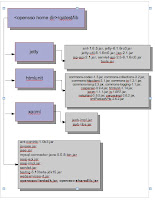
3) Gathering the required jars. Place the following jars/qatest/lib folder.
-- openssoclientsdk.jar,opensso-sharedlib.jar corresponding to the build you are testing
-- testng-5.10beta-jdk15.jar,mysql-connector-java-5.0.8-bin.jar,javaee.jar,jsse.jar,saaj-api.jar,saaj-impl.jar,servlet.jar,webservices-rt.jar
-- Create a folder /qatest/lib/jetty and copy the jetty jars here
-- Create a folder/qatest/lib/htmlunit and copy the htmlunit1.1.4 jars here
-- Create a folder/qatest/lib/xacml and copy the jaxb-impl.jar jaxb-libs.jar
jars here
Click below for a diagrammatic representation of all the lib
4) Go to /qatest/resources
5) Copy the file Configurator-server_name.properties.template, and create a.properties file.
Eg: myserver.properties
6) Edit the file for details matching the setup you planned.
Eg:Below is my file,stripped of comments, which I used to run the sanity tests in my laptop.
com.iplanet.am.naming.url=http://localhost:8080/opensso/namingservice
cookiedomain=
amadmin_password=secret12
com.iplanet.am.service.password=secret123
config_dir=/Users/nithyasrinivasan/opensso-localhost
directory_server=localhost
directory_port=50389
config_root_suffix=dc=opensso,dc=java,dc=net
ds_dirmgrpasswd=secret12
Now what?
You are done.
Goto/qatest, fire the tests.
ant -lib lib/ant-contrib-1.0b3.jar -DSERVER_NAME1=myserver run
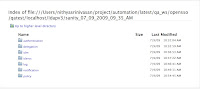
If the tests have been executed successfully, the run should finish the following output
[echo] The Automation reports are at <opensso home dir>/qatest//ldapv3/sanity
You can see the reports at this location.
Sample reports -

Where is the framework?
It is called qatest and in available under opensso, when you check out the cvs source code.
What is the framework?
It is a pure java based testing framework built using open source tools like testng,ant,jetty
Which aspect of the framework is covered in this article?
Sanity tests all the core features of OpenSSO product. Helps avoiding basic regressions.
How to use it?
What I am covering in this article, is how to quickly sanity test a opensso build.
There is some setup required, gathering all the required jars, as this is not shipped with the product. But the results are worth this effort.
Other than this, with minimalist changes required, you get all the key features of opensso tested.
Prerequisites
1) From Opensso - opensso.war, Deploy the war on a supported container. You dont have to configure it.
2) Ant version 1.7.1 or above
3) Gathering the required jars. Place the following jars
-- openssoclientsdk.jar,opensso-sharedlib.jar corresponding to the build you are testing
-- testng-5.10beta-jdk15.jar,mysql-connector-java-5.0.8-bin.jar,javaee.jar,jsse.jar,saaj-api.jar,saaj-impl.jar,servlet.jar,webservices-rt.jar
-- Create a folder
-- Create a folder
-- Create a folder
jars here
Click below for a diagrammatic representation of all the lib

4) Go to
5) Copy the file Configurator-server_name.properties.template, and create a
Eg: myserver.properties
6) Edit the file for details matching the setup you planned.
Eg:Below is my file,stripped of comments, which I used to run the sanity tests in my laptop.
com.iplanet.am.naming.url=http://localhost:8080/opensso/namingservice
cookiedomain=
amadmin_password=secret12
com.iplanet.am.service.password=secret123
config_dir=/Users/nithyasrinivasan/opensso-localhost
directory_server=localhost
directory_port=50389
config_root_suffix=dc=opensso,dc=java,dc=net
ds_dirmgrpasswd=secret12
Now what?
You are done.
Goto
ant -lib lib/ant-contrib-1.0b3.jar -DSERVER_NAME1=myserver run
If the tests have been executed successfully, the run should finish the following output
[echo] The Automation reports are at <opensso home dir>/qatest/
You can see the reports at this location.
Sample reports -


Monday, July 20, 2009
Opensso - Using in memory notification for Config store
If your opensso instance uses a remote config store, you can improve the performance using the alternative in-memory notification for Config Store.
If this property com.sun.identity.sm.enableDataStoreNotification=true
then Opensso makes use of a persistent ldap connection to listen to the event notifications.
Disabling Datastore notification
-------------------------
Step 1) Go the page
Configuration -> Servers & Sites -> Server Instancce -> SDK
Set
com.sun.identity.sm.enableDataStoreNotification=false
com.sun.am.event.connection.disable.list=aci,um,sm
Step 2) Restart the container
Step 3) Check the sun one directory server logs/opensso debug logs.(Assuming that the debug level is set to message)
Sample messages are pasted below
1) This is from DS access logs
No psearch after disabling the datastore notification
[20/Jul/2009:14:40:26 -0700] conn=0 op=1 msgId=191 - SRCH base="dc=opensso,dc=java,dc=net" scope=2 filter="(|(objectClass=sunService)(objectClass=sunServiceComponent))" attrs="objectClass" options=persistent
[20/Jul/2009:14:40:37 -0700] conn=5 op=1 msgId=252 - SRCH base="dc=opensso,dc=java,dc=net" scope=2 filter="(objectClass=*)" attrs="objectClass" options=persistent
[20/Jul/2009:15:14:18 -0700] conn=16 op=1 msgId=210 - SRCH base="dc=opensso,dc=java,dc=net" scope=2 filter="(|(objectClass=sunService)(objectClass=sunServiceComponent))" attrs="objectClass" options=persistent
[20/Jul/2009:15:14:54 -0700] conn=22 op=1 msgId=19 - SRCH base="dc=opensso,dc=java,dc=net" scope=2 filter="(|(objectClass=sunService)(objectClass=sunServiceComponent))" attrs="objectClass" options=persistent
NOTE: Server was resatrted at amSMS:07/20/2009 03:16:34:931 PM PDT: Thread[main,5,main]
**********************************************
2) Configuration debug file
amEventService:07/20/2009 03:15:20:717 PM PDT: Thread[smIdmThreadPool,5,main]
EventService.getListenerList(): In realm mode or config time, SMS listener is set to datastore notification flag: false
amEventService:07/20/2009 03:15:20:718 PM PDT: Thread[smIdmThreadPool,5,main]
EventService.getListenerList() - all listeners are disabled, EventService won't start
amEventService:07/20/2009 03:15:20:718 PM PDT: Thread[smIdmThreadPool,5,main]
EventService.resetAllSearches(): All psearches have been disabled
amEventService:07/20/2009 03:15:20:718 PM PDT: Thread[smIdmThreadPool,5,main]
EventService.removeListener(): Removing listener requestID: 19 Listener: com.sun.identity.sm.ldap.LDAPEventManager@160c21a
amEventService:07/20/2009 03:15:21:221 PM PDT: Thread[smIdmThreadPool,5,main]
EventService.resetAllSearches(): Psearch disabled: com.sun.identity.sm.ldap.LDAPEventManager
amSMSEvent:07/20/2009 03:15:21:221 PM PDT: Thread[smIdmThreadPool,5,main]
SMSNotificationManager.init deregistering for notification with: com.sun.identity.sm.ldap.SMSLdapObject
If this property com.sun.identity.sm.enableDataStoreNotification=true
then Opensso makes use of a persistent ldap connection to listen to the event notifications.
Disabling Datastore notification
-------------------------
Step 1) Go the page
Configuration -> Servers & Sites -> Server Instancce -> SDK
Set
com.sun.identity.sm.enableDataStoreNotification=false
com.sun.am.event.connection.disable.list=aci,um,sm
Step 2) Restart the container
Step 3) Check the sun one directory server logs/opensso debug logs.(Assuming that the debug level is set to message)
Sample messages are pasted below
1) This is from DS access logs
No psearch after disabling the datastore notification
[20/Jul/2009:14:40:26 -0700] conn=0 op=1 msgId=191 - SRCH base="dc=opensso,dc=java,dc=net" scope=2 filter="(|(objectClass=sunService)(objectClass=sunServiceComponent))" attrs="objectClass" options=persistent
[20/Jul/2009:14:40:37 -0700] conn=5 op=1 msgId=252 - SRCH base="dc=opensso,dc=java,dc=net" scope=2 filter="(objectClass=*)" attrs="objectClass" options=persistent
[20/Jul/2009:15:14:18 -0700] conn=16 op=1 msgId=210 - SRCH base="dc=opensso,dc=java,dc=net" scope=2 filter="(|(objectClass=sunService)(objectClass=sunServiceComponent))" attrs="objectClass" options=persistent
[20/Jul/2009:15:14:54 -0700] conn=22 op=1 msgId=19 - SRCH base="dc=opensso,dc=java,dc=net" scope=2 filter="(|(objectClass=sunService)(objectClass=sunServiceComponent))" attrs="objectClass" options=persistent
NOTE: Server was resatrted at amSMS:07/20/2009 03:16:34:931 PM PDT: Thread[main,5,main]
**********************************************
2) Configuration debug file
amEventService:07/20/2009 03:15:20:717 PM PDT: Thread[smIdmThreadPool,5,main]
EventService.getListenerList(): In realm mode or config time, SMS listener is set to datastore notification flag: false
amEventService:07/20/2009 03:15:20:718 PM PDT: Thread[smIdmThreadPool,5,main]
EventService.getListenerList() - all listeners are disabled, EventService won't start
amEventService:07/20/2009 03:15:20:718 PM PDT: Thread[smIdmThreadPool,5,main]
EventService.resetAllSearches(): All psearches have been disabled
amEventService:07/20/2009 03:15:20:718 PM PDT: Thread[smIdmThreadPool,5,main]
EventService.removeListener(): Removing listener requestID: 19 Listener: com.sun.identity.sm.ldap.LDAPEventManager@160c21a
amEventService:07/20/2009 03:15:21:221 PM PDT: Thread[smIdmThreadPool,5,main]
EventService.resetAllSearches(): Psearch disabled: com.sun.identity.sm.ldap.LDAPEventManager
amSMSEvent:07/20/2009 03:15:21:221 PM PDT: Thread[smIdmThreadPool,5,main]
SMSNotificationManager.init deregistering for notification with: com.sun.identity.sm.ldap.SMSLdapObject
Friday, July 17, 2009
Opensso/cli ssoadm - The version of your server instance is: null
Symptom:
--------
Cli ssoadm setup ends with exception
Eg
-bash-3.00$ ./setup
Path to config files of OpenSSO server (example: /opensso):/home/etggfish/opensso
Debug Directory:/home/etggfish/opensso/opensso/debug
Log Directory:/home/etggfish/opensso/opensso/log
The scripts are properly setup under directory: /local/0/sw/openssotools/opensso
Debug directory is /home/etggfish/opensso/opensso/debug.
Log directory is /home/etggfish/opensso/opensso/log.
The version of this tools.zip is: Enterprise 8.0 Build 6(2008-October-31 09:07)
The version of your server instance is: null
Solution:
---------
1) Check the com.iplanet.am.version in the server.
Thanks to Gang for the following script to set the property to the right value
You can run this script to fix null version
$SSOADM_PATH/ssoadm update-server-cfg -s default -a 'com.iplanet.am.version=' -u amadmin -f $PWF -O
SERVER=`$SSOADM_PATH/ssoadm list-servers -u amadmin -f $PWF -O`
for SVR in $SERVER
do
$SSOADM_PATH/ssoadm remove-server-cfg -s $SVR -a 'com.iplanet.am.version' -u amadmin -f $PWF -O
done
2) Also check if the attribute is present com.iplanet.am.version in the Config DS.
Else you can add it using Configuration -> Servers & Sites -> Default Server Instance -> com.iplanet.am.version attribute
--------
Cli ssoadm setup ends with exception
Eg
-bash-3.00$ ./setup
Path to config files of OpenSSO server (example: /opensso):/home/etggfish/opensso
Debug Directory:/home/etggfish/opensso/opensso/debug
Log Directory:/home/etggfish/opensso/opensso/log
The scripts are properly setup under directory: /local/0/sw/openssotools/opensso
Debug directory is /home/etggfish/opensso/opensso/debug.
Log directory is /home/etggfish/opensso/opensso/log.
The version of this tools.zip is: Enterprise 8.0 Build 6(2008-October-31 09:07)
The version of your server instance is: null
Solution:
---------
1) Check the com.iplanet.am.version in the server.
Thanks to Gang for the following script to set the property to the right value
You can run this script to fix null version
$SSOADM_PATH/ssoadm update-server-cfg -s default -a 'com.iplanet.am.version=
SERVER=`$SSOADM_PATH/ssoadm list-servers -u amadmin -f $PWF -O`
for SVR in $SERVER
do
$SSOADM_PATH/ssoadm remove-server-cfg -s $SVR -a 'com.iplanet.am.version' -u amadmin -f $PWF -O
done
2) Also check if the attribute is present
Else you can add it using Configuration -> Servers & Sites -> Default Server Instance -> com.iplanet.am.version attribute
Subscribe to:
Posts (Atom)